
A Webflow store locator you do not have to build twice.
The alternative is a CMS collection, a geocoding step, a map library and search written by hand. This is an Embed element and a design panel, with the control over colour, type, spacing and markers that made you choose Webflow.
Designed to match your Webflow site.
Style it yourself, or send us your site and we match it for you, free on every paid plan.
- 7-day free trial
- No coding needed
- Free brand matching
- From $19/month
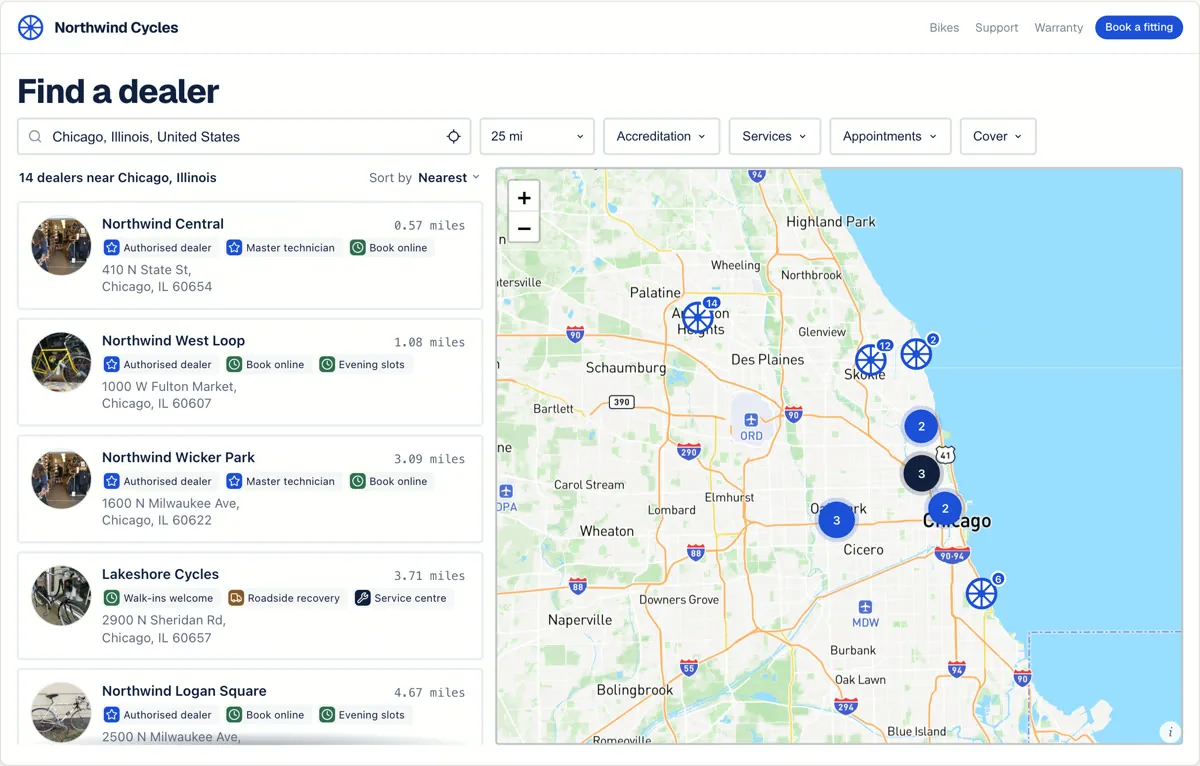
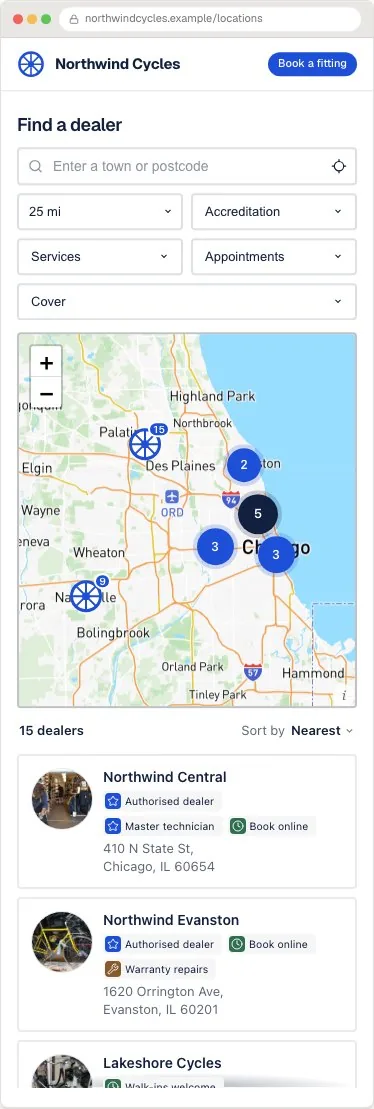
A real locator capture. This version is designed for a partner network where the results read as a grid rather than a list, with filters sitting inline above them. Open the full-size example to search it. Northwind Cycles is an invented concept brand using sample data.
Webflow details
Keep the CMS for content. Keep the locator for search.
Webflow can own the page layout and editorial content while Handled owns geocoding, search, filters and location updates. Add the embed in an Embed element and publish when you are ready to inspect the live widget.
- Skip a custom CMS collection for every location.
- Use Webflow layout controls around the locator.
- Keep geocoding and search behaviour in one place.
Built around the search
A Webflow store locator without the CMS modelling project.
Nothing here is beyond a competent Webflow build. It is simply a fortnight of work, plus whatever it costs to maintain once someone asks for an open-now filter.
- 01
No collection to model, no coordinates to chase.
Addresses, opening hours, categories and custom fields are already modelled, and importing a CSV geocodes them. You are not deciding how to store a set of opening hours in a CMS field.
- 02
Search and filtering that already work.
Proximity search, category filters, an open-now filter, paging as the visitor scrolls, and empty and no-result states written in your own words, rather than each one becoming its own ticket.
- 03
Designed, not merely embedded.
Seven layouts, custom marker artwork and clusters, provider-managed map styles, and control of color, type, spacing, corners and result geometry. The six live examples are all the same product.
Search and discovery
A visitor finds the nearest useful location without scanning the whole list.
The locator opens, the visitor types a town or postcode, and results reorder by distance. Search, filters, labels and layout are settings you control, not fixed behaviour.
Start with the spreadsheet you already maintain. Import a CSV, review the locations, then keep the same embed as the list changes.
North Loop Cycles
1.2 mi · Open until 6:00
Eastside Bike Works
2.8 mi · Open until 7:00
Hill Country Service
4.6 mi · Opens tomorrow
Search stage: Austin locations are filtered to repair shops, sorted by distance, and the nearest result offers directions.
Install on Webflow
Add the Webflow store locator with an Embed element.
Drop an Embed element where the locator belongs and paste the generated code. Expect it to look blank on the Designer canvas, because Webflow does not execute embedded scripts there. Publish, then check the live site.
Embed element
<div id="biz-locator-root"></div>
<script src="https://cdn.handledlocal.com/widget.js"
  data-site-id="your-site-id" async></script>
Three steps to publish
- 1Add an Embed element to your locations page.
- 2Paste the embed code into the element's code panel.
- 3Publish the site and verify it on the public page. Embeds do not run in the Designer canvas.
Claude and ChatGPT
Set it up by describing what you want.
Handled Locator runs an MCP server, so an AI assistant can operate it directly. Paste a list of addresses and they are geocoded and added, describe a design and the widget restyles, then ask for the embed code to paste here. Configuration changes are shown as a before-and-after first and only go live once you agree. Included on every plan, including the trial.
The practical questions
What changes after the trial?
Keep the design, locations and embed. Choose a plan based on location count and team seats. Your map usage remains on the Mapbox or Google account you control.
Compare plans- Starter
- $19/mo
- 200 locations
2 team seats
Every working feature - Pro
- $39/mo
- 2,000 locations
5 team seats
Every working feature - Business
- $79/mo
- 10,000 locations
20 team seats
Every working feature
Before you choose
Questions buyers ask about this setup.
- Why is the embed blank in the Designer?
- Webflow does not run embedded scripts on the Designer canvas, so a blank Embed element there is expected and says nothing about the install. Publish the site and open the live page.
- Can I style the locator with Webflow classes?
- No, and it is worth knowing why before you start. The locator renders in a shadow root so that no site stylesheet can reach into it and break it, which also means your Webflow classes cannot. You style it in Handled instead, where the controls cover colour, typography, spacing, corner radius, button weight and marker treatment.
- Should I just build it with the Webflow CMS?
- You can, and for a handful of locations that never change it may be the simpler answer. It stops being simpler once you need geocoded coordinates, proximity ranking, category filters, opening hours with an open-now state, and a list that pages in rather than rendering every item.
- How many locations does it handle?
- Self-serve plans are tested up to 10,000 locations, with the first result on screen in 1.65 seconds in the 5,000-location test. Enterprise covers 10,000+ locations or custom requirements, scoped around the network and search behaviour you need.
- Who pays for the map traffic?
- You connect your own Mapbox or Google Maps key. That provider bills map usage directly; the Handled subscription covers the locator product, location capacity and team seats.
Design the Webflow store locator. Do not build it.
Start from the design above, import a sample of your real locations and publish it to a Webflow staging domain before paying.
7-day trial · No card required · Keep the same embed when you publish
Using a different platform?
The same locator, with the install steps for each.