Start here
Handled Locator turns a location list into a searchable map and results experience that runs on a website you already own. The shortest path is: add locations, choose a design direction, connect a map provider, then paste one embed snippet into your site.
How Handled works
Your locations and design settings live in the Handled dashboard. The public widget loads those settings when a visitor opens the page containing your embed. Saving a dashboard change updates the live locator; the code on your website stays the same.
The dashboard is not the only way in. Handled Locator runs an MCP server, so Claude and ChatGPT can do the same work from a conversation: adding locations, tagging them, restyling the widget and returning your embed code. Both doors reach the same account and the same settings, and a configuration change made in a chat goes through the same preview-then-apply step you get in the dashboard.
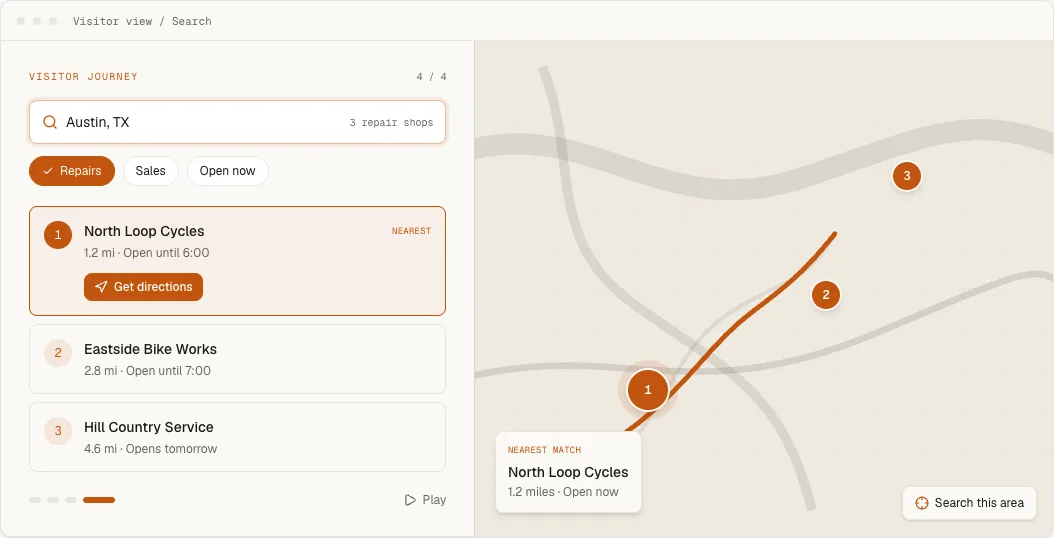
You provide a Mapbox or Google Maps browser key. The chosen provider renders the map and bills map usage directly to its own account. Handled manages the location data, search experience, filters, result cards, styling and analytics around it.
Choose a guide
- Publishing for the first time: follow the Quickstart.
- Moving a spreadsheet into Handled: use Import locations from CSV.
- Checking a file before import: run the free CSV location validator, which checks the structure in your browser without uploading it.
- Keeping a spreadsheet connected: use Google Sheets sync.
- Locations that live in another tool: connect Airtable, Webflow CMS or HubSpot, or wire any app through Zapier.
- Telling your systems when something changes: register a webhook.
- Driving the locator from your own page: the JavaScript API, an external search bar, or a pre-filled link.
- Building a specific kind of locator: the guides cover where to buy, dealer territories, service areas, appointment booking and more.
- Maintaining records and schedules: use Add and edit locations and Configure location hours.
- Controlling how visitors narrow results: use Configure visitor search and Create categories and filters.
- Finishing the map: use Connect a map provider.
- Matching the layout and cards: use Customize layout and result cards.
- Using custom map styles or marker artwork: use Customize maps, markers and clusters.
- Looking up any control: use the generated Widget settings reference.
- Managing the locator by chat: connect Claude or ChatGPT, then describe what you want changed. The MCP server reference lists every tool they can reach.
- Want us to style it: see Brand matching, done for you.
- Installing on a storefront or site builder: choose Shopify, WordPress, Squarespace, Webflow or Wix.
- Connecting analytics or site behavior: use Widget events.
- Reading performance or fixing launch problems: use Understand locator analytics or Troubleshoot an installation.