Start from your website
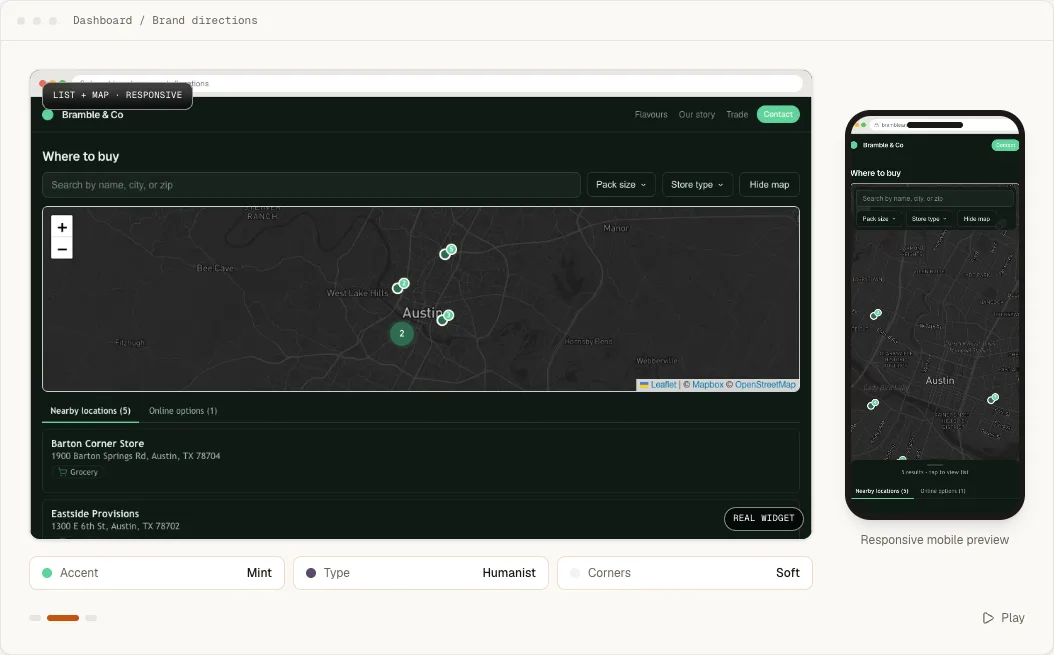
You can begin in the dashboard without waiting for a design review. Open Appearance, choose Start from your website, and enter a public URL. Handled inspects public brand signals such as colors, typography direction, spacing, corners and visual assets, then prepares an editable first draft.
Nothing is saved or published during inspection. Review the draft in the responsive preview, adjust any setting yourself and press Save changes only when it is right. The result stays inside the normal Handled configuration system, so a person can keep editing it later.
What is included
Brand matching is included with every active Starter, Pro and Business plan. We configure one locator using the controls already available in Handled, then send it back for approval. You keep complete control and can change every setting afterward.
The service includes the initial configuration and one revision. There is no separate design fee.
The setup is applied as a validated Handled configuration, not as custom widget code. That keeps the result inside the same settings system you can inspect, edit, save and revise later.
What to send
- 1
The public website
Send the URL of the site where the locator will live. - 2
Brand assets
Include the logo and any brand guide, preferred fonts or exact color values you want followed. - 3
The visitor's job
Tell us whether visitors are finding a store, dealer, restaurant, service area or something else. - 4
A reference
Point to a page on your site whose visual direction the locator should follow.
What we change
We can configure layout, colors, typography, spacing, corner and border treatment, buttons, search and filter placement, result-card fields, map popup fields and the mobile arrangement. Marker work can include uploaded artwork, marker sizing and anchor, numbering and cluster shape. If you already manage a published Mapbox Studio style or Google Map ID, we can connect it to the matching provider.
Service boundaries
Brand matching does not include a website redesign, new product features, custom integration code, map-style design inside Mapbox or Google, location-data research, copywriting for every location or ongoing design maintenance. Custom CSS is used only when the supported controls cannot express a small brand detail safely.
Request brand matching
Email hello@handledlocal.com with the account email, public website, visitor job and links to the brand assets. We first confirm that the request fits the included service, identify anything missing and give you a delivery estimate. Work begins only after that scope is clear.
We send the configured locator back as a working preview. You can approve it or send one consolidated revision request. Nothing is published to your website by Handled, and you remain in control of every setting after approval.