
The market in four shapes
Almost every option is one of four architectures, and knowing which one you are looking at tells you most of its trade-offs before the demo.
| Hosted locator service | Platform app or plugin | Free and DIY routes | Custom build | |
|---|---|---|---|---|
| Examples of the shape | Independent tools embedded by script | Shopify apps, WordPress plugins | Google My Maps, free tiers | Agency or in-house on a maps API |
| Data lives | The service's dashboard, exportable if the vendor is honest | The platform's database or the app vendor's | Google's editor or your database | Wherever you built it |
| Survives replatforming | Yes, the embed moves anywhere | No, it is welded to the platform | Partially | Depends on the build |
| Map billing | Varies: bundled or your own key | Usually bundled into tiers | Included or your key | Your key |
| Best for | Most multi-location businesses | Teams that live entirely in one platform | A handful of static locations | Needs no product ships |
Question one: who pays for the map?
The map is the only cost that scales with your traffic, because Google Maps and Mapbox bill per load. Vendors handle it two ways, and the choice shapes the bill more than the sticker price does. Tools that bundle map usage into their tiers price for their heaviest customers, and a good traffic month moves you up a tier. Tools that run on your own provider key pass usage through at provider rates, which sit inside free allowances most small and mid-size sites never exhaust, and the vendor cannot mark up what it never touches.
Neither model is wrong. Bundled suits teams that want one invoice and no provider account; bring-your-own-key suits anyone who expects growth and wants map costs at cost. What is wrong is not knowing which you are buying: the map cost guide has the provider arithmetic to check any vendor's tiers against.
Question two: how do you leave?
Ask for the export before you import. A tool that gives you back a clean CSV of everything you put in, addresses, hours, custom fields, has priced its own replacement honestly. A tool with no export owns your stockist list, and the cost of leaving grows with every location you add, which is a quiet form of pricing power the sticker never shows.
The same logic covers the platform question. An embed-based locator moves when you replatform from Shopify to something else; an app welded to one platform does not. If there is any chance the website changes underneath the locator, portability is a feature you are buying whether the pricing page lists it or not.
Question three: what can a result card actually show?
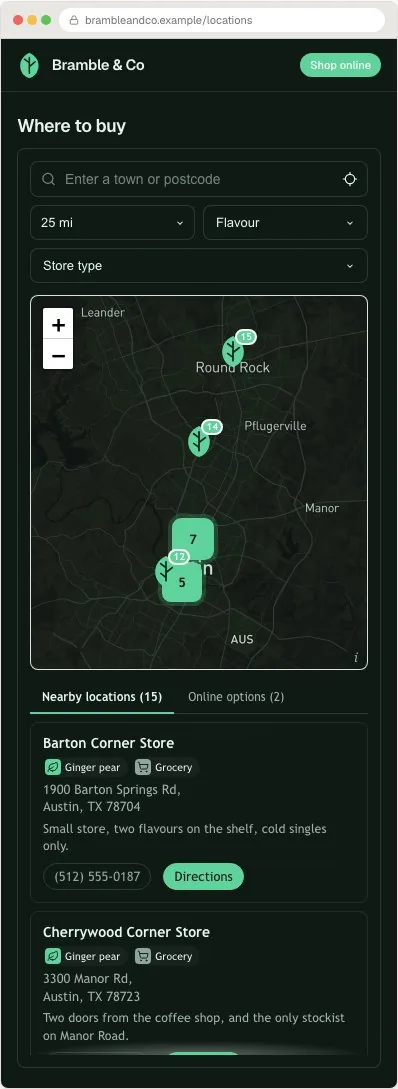
Result cards are where locators earn their keep, and where cheap ones run out. The baseline is address, hours, phone and directions. The differences that matter in practice: custom fields for whatever your business needs on the card, accreditation for dealer networks, product lines for stockist pages; an open-now answer computed in the location's own timezone rather than the visitor's; per-card links you control, so a result can point at booking or a retailer's product page; and an online-sellers tab so a visitor with no nearby result still has somewhere to go.
Judge this on your own data, not the demo's. Import ten real locations in a trial and look at what the card renders and what it silently drops.
Question four: who updates locations, and where?
The build takes a day; the updates go on forever, so the workflow question outweighs most feature questions. The options in rising order of comfort: editing in the vendor dashboard, fine when one person owns the data; re-uploading CSVs, tolerable for quarterly changes; and a synced Google Sheet, which lets the person who knows about a change make it without touching the website or learning a new tool.
If several people or teams touch location data, hours from operations, new sites from expansion, stockists from sales, the sheet model is the difference between a page that stays true and one that quietly rots.
Question five: how much of the look is yours?
A locator sits inside your page, so it either reads as part of the site or as something bolted on. The floor is colours and a logo. The ceiling is full control of typeface, spacing, corners, marker artwork and the map style itself. In between, check the specific things brands hit: can the widget carry your exact font, can markers be your own artwork, and can the map's palette match the site rather than shipping Google-default blue.
Also ask what the vendor's own brand does on your page. A badge on the widget is common on cheap tiers; decide whether that is acceptable on the page your customers see.
The shortlist test: an hour that replaces a spreadsheet
Feature matrices reward whoever wrote them. An hour of trial with your own data answers more.
- Import ten real locations, including your messiest addresses, and read the import report.
- Search your busiest town and a town you do not serve; judge the results and the empty state.
- Open the page at phone width and use it one-handed.
- Restyle it to your brand in the settings alone, no CSS, and see how close it gets.
- Export everything back out and open the file. If any of these five steps fights you, the tool is telling you something the sales page did not.
Match the tool to the situation, not the ranking
Best-of lists imply one winner. The truthful version is a mapping, because the right architecture follows from facts about your business that you already know.
| Your situation | What actually fits |
|---|---|
| A handful of locations that rarely change | The free routes; revisit when updates start to hurt |
| Own shops, one brand, growing | A hosted locator with your own map key, styled to the site |
| Sold through retailers you do not own | A hosted locator with product-line filters and an online tab, per the where-to-buy guide |
| Authorised dealer or service network | A hosted locator with accreditation fields and per-branch rows, per the dealer guide |
| Trades that travel to the customer | A locator that draws service-area radii rather than pins |
| Everything lives in one platform, forever | That platform's best-reviewed native app, evaluated with the five questions above |
| A requirement no product ships | A custom build, entered with eyes open about maintenance and map billing |
Where Handled Locator sits in its own guide
Handled Locator is a hosted locator service, the first column of the table. Its bets are the ones this guide teaches you to check: your own Google or Mapbox key so map usage is at provider cost, CSV and Google Sheets workflows in both directions so the data is never stuck, 85+ settings for design control, and cards with custom fields, per-card links and an online options tab. Plans run $19 to $79 a month for 200 to 10,000 locations, with a trial that needs no card.
The honest trade-offs: there is no bundled-map option, so you will create a provider key once, and there is no native app inside Shopify's or Wix's admin, installation is the embed described in the platform guides. If you specifically want Storepoint's shape compared against ours, the Storepoint comparison does that head to head.
Frequently asked questions
What is the best store locator software?
The one whose architecture matches your situation, which is a checkable question rather than a ranking. Multi-location businesses that may ever change platforms are best served by a hosted embed; teams living entirely inside one platform can prefer its native app; a handful of static locations can use the free routes. The five questions in this guide separate the candidates faster than any top-ten list.
How much does store locator software cost?
Hosted services run roughly $19 to $79 a month by location count and features; platform apps roughly $10 to $50 a month; free routes exist with real limits. The bigger variable is map billing: bundled tiers can double at a traffic threshold, while bring-your-own-key tools pass provider rates through, often at zero inside free allowances.
What should I look for in a store locator tool?
Five things: who pays for the map, whether your data exports cleanly, what result cards can carry, how locations get updated and by whom, and how much of the design is controllable. Those questions expose the differences the identical-looking demos hide.
Do I need custom development for a store locator?
Almost never. Hosted tools cover search, filters, styling and data workflows without code, and embed with one paste. Custom builds make sense only for requirements no product ships, and they inherit the maintenance and map billing forever.
Can I switch store locator tools later?
If you chose one with an export, yes: leave, reshape the CSV, import elsewhere, and swap the embed. That is why the export question belongs before the import. Without an export, switching means rebuilding the list by hand, which is the lock-in working as designed.
Is a free store locator good enough?
For a few static locations, often yes, and the free options guide says which shape fits which case. The upgrade triggers are concrete: needing filters, your own branding, frequent updates, or a page whose breakage would cost you customers.